
Programmer’s HEX Pad

I’ve been doing a lot more “work” (it’s all fun, really) on minimalist builds of various retro-computers. Bootstrapping some of these builds necessitates low-level code entry; for IPL1 this sometimes means entering addresses, data and opcodes as straight hexadecimal values.
Regular keyboards with number-pads aren’t ideal for this, since the characters A through F (for values 10 through 15) aren’t on the number pad. And for me, personally, where I use a Kinesis Advantage360 Pro that lacks even a conventional number pad2, it’s particularly inconvenient.
To remedy this, I decided to build a proper “Programmers” HEX pad.
Something like this:
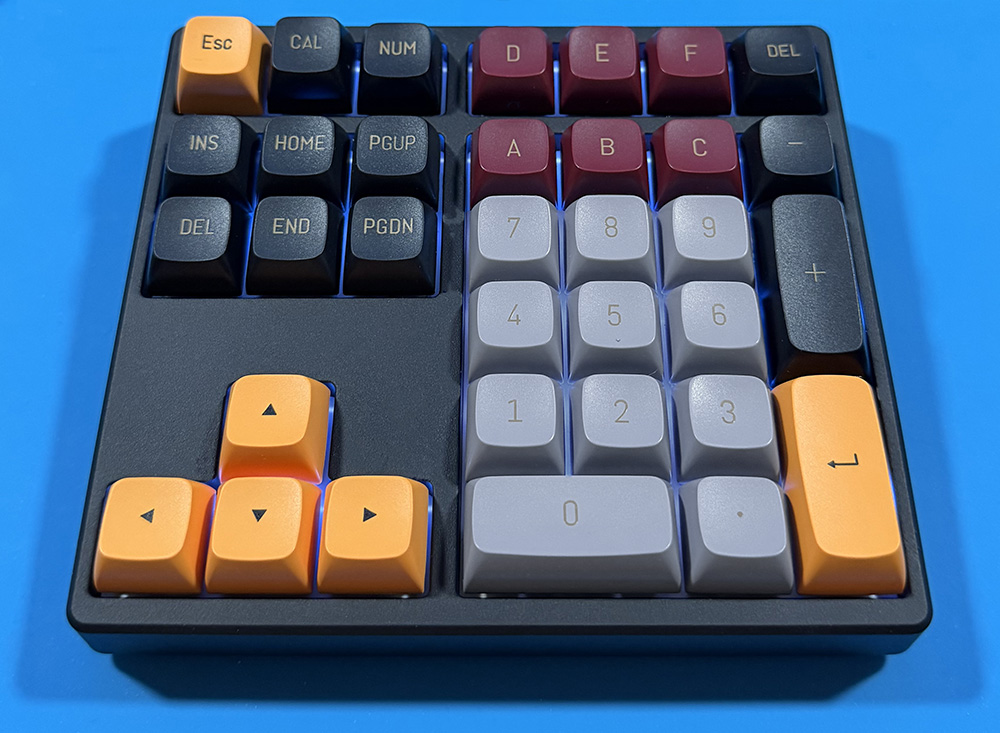
The intention, here, is for a device to use directly on/with the various retro computer builds I am working on/with. That means a scratch-build, custom PCB, diode matrix, decoder and per-machine software (or mini-BIOS) to interpret it. And that I will do, once those computers are in their PCB forms (as it stands, they’re in various states of progress on breadboards/schematics in KiCad).
But … since I’m already writing code for these things, either for programming onto EEPROMs or serial-terminal upload, a HEX pad would still be extremely useful, even if it was just talking to macOS.
So I decided to “cobble one together” from off-the-shelf parts.
I wanted something illuminated and programmable, so the base of this “build” is a Kisnt QMK/VIA-based 34-key mechanical number pad. And on its own, that works more than well enough.
However … it really has a much more “modern” aesthetic than I wanted, especially after growing up with more “vintage” looking hardware and presentation. Thus the next step was to start swapping out key-caps for styles and colors more reminiscent of the mainframe hardware I worked on, briefly, “way back when”.
Some looking around led me to two conclusions:
- CSA profile keys were the closest “standard” profile I could find that was an aesthetic match, both in terms of key-shape and font (since all the CSA profile keys I’ve come across seem to use a common font, even if it nothing to do with the profile itself).
- It was usefully less expensive to buy three full 160-key key-caps sets, than it was to buy the 12 specific custom keys I wanted!
So that’s what I did; and it leaves me with so many spare key-caps I could build three more such keypads, with variations on which keys are which colors, and still have spares.
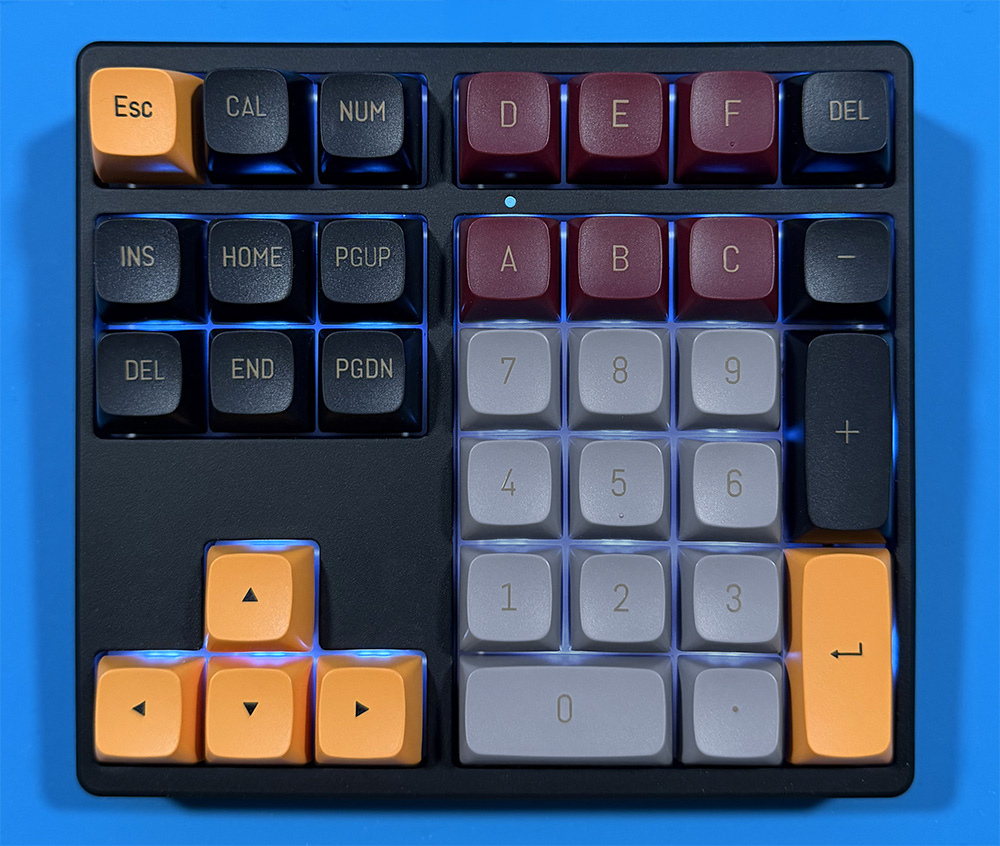
The QMK/VIA programmability made it easy to set this up for the desired functionality, though ideally I still need custom key-caps to replace the +, – and NUM keys … as I have those setup to enter 0x, 00 and 0b currently.
Next stop … a non-USB version of the above for direct use on my retro-computing builds, including one with just the 0-9, A-F, [Enter] and [Del] keys.
- Initial Program Load. Very early machines required “toggling-in” the IPL using front-panel switches, which would be a short machine-code routine that then loaded the boot program from paper tape or punch-cards. ↩︎
- I do have a dedicated layers setup for cursor, edit and number/hex entry, but with only five rows of keys available, it is still not perfect. ↩︎
