EEPROMs, EEPROM Emulators & 27 vs. 28 series ICs

After addressing my fragility-nervosa regarding the frequent removal/insertion of AT28C256 EEPROMs in my Ben Eater 6502 build, by adding an elevated ZIF socket to the board, I still wanted a more fluid way to update the code the machine was running.
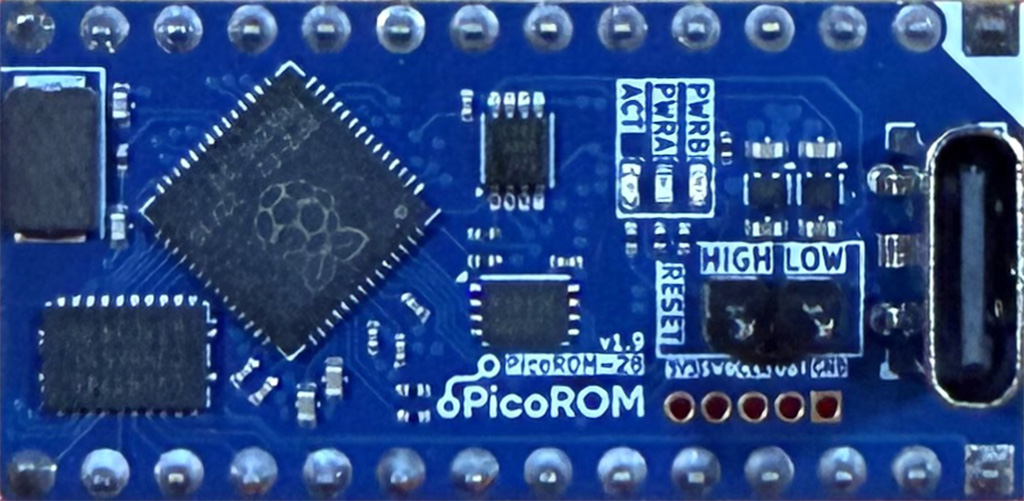
These are both EEPROM Emulators built on modern, high-speed, microcontrollers. You can program them, in-circuit, via a USB connection, in seconds and without switching chips around and be running new code again almost instantly.
I’ve been using both the picoROM and OneROM in various projects – mostly arcade-board rebuilds – for a fair while now and it is very hard to overstate the benefits and convenience they bring. picoROM, in particular, has a very mature-feeling, and capable, toolset for managing and programming the boards that feels, and works, a lot like conventional EEPROM burning.
However … aesthetically, I prefer real, period, PROMS, EPROMS or EEPROMs in my original/retro hardware.
Thus, I’ve taken to using tools like picoROM and OneROM for development purposes, rapid code iteration, and troubleshooting and then burning the final code to EEPROMs once things are where I want them.
Using them with the Ben Eater 6502, then, seemed like an obvious way to go.
Except …
Ben’s design is built around the AT28C256 EEPROM, which uses an “28 series” pinout. The picoROM and OneROM1 follow the “27 series” pinout. Something I only really twigged on when I tried dropping a picoROM straight into my original build!
Fortunately, the differences between 28CXXX and 27CXXX ICs are quite minimal, and only two, easy, changes are required to Ben’s wiring to allow use with the picoROM or other (32KB or smaller) 27-series EEPROMS:
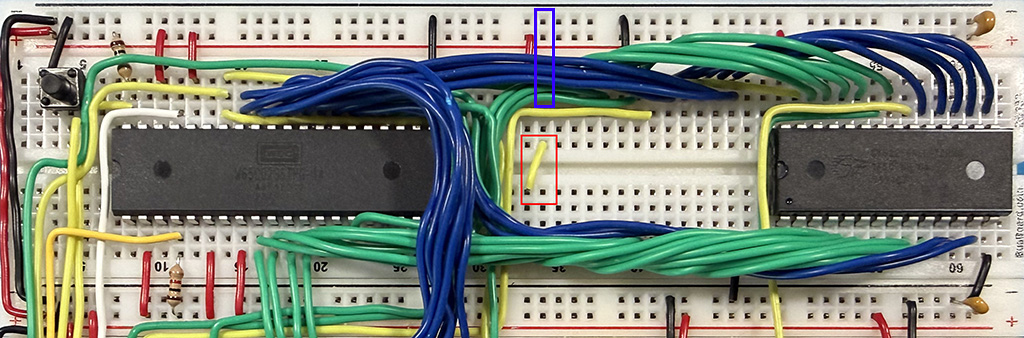
First, the +5V connection to the AT28C256 on pin 27 has to be removed (see the blue box). Then, what would be pin 27 of the AT28C256 needs to be connected to pin 1 on the 27-series IC (add the yellow wire shown in the red box).
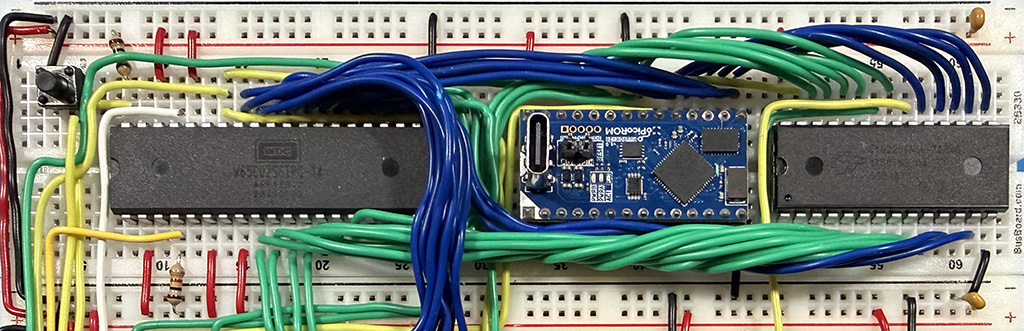
Conveniently, because the picoROM sits on a header pin block, and is wider than the minimal span of the breadboard’s centerline divider, you can make the connections from pin 27 to pin 1 under the picoROM, which makes for nice, clean, wiring.
The end results yield a low-profile, in-circuit programmable, “EEPROM” that makes writing/uploading/debugging code for the “BE6502” faster, smoother and much lower in development-friction:
This ability to rapidly iterate removed the (mental, at least) barrier to my writing a number of programs for the standard (final, w/ RS-232 and basic sound) version of Ben’s computer … and extensions to MS-BASIC (Ben’s version) … but those will be the subject of future posts …
- OneROM can now, optionally, behave as a “28 series” IC as well, which means it can be used with the “standard” or “original” wiring of Ben’s computer. ↩︎